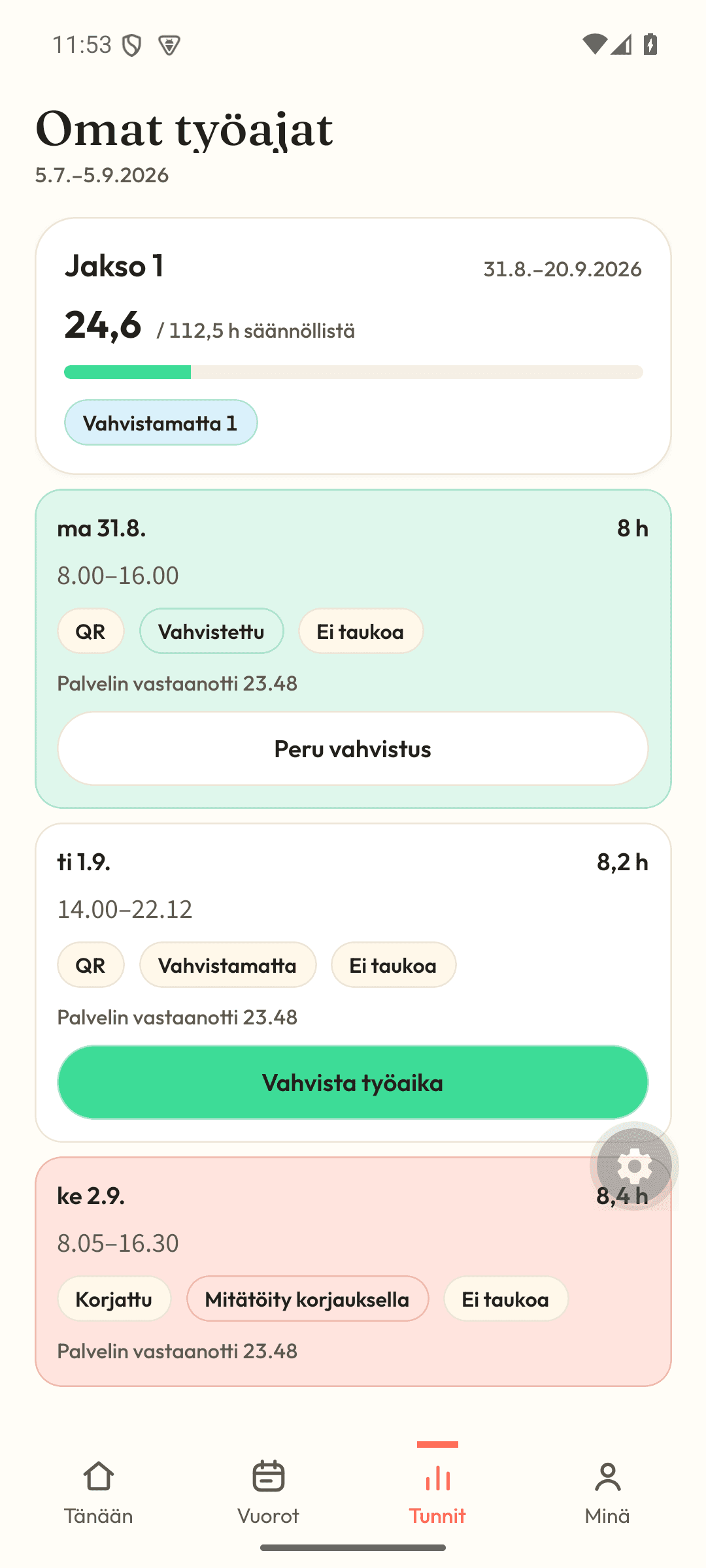
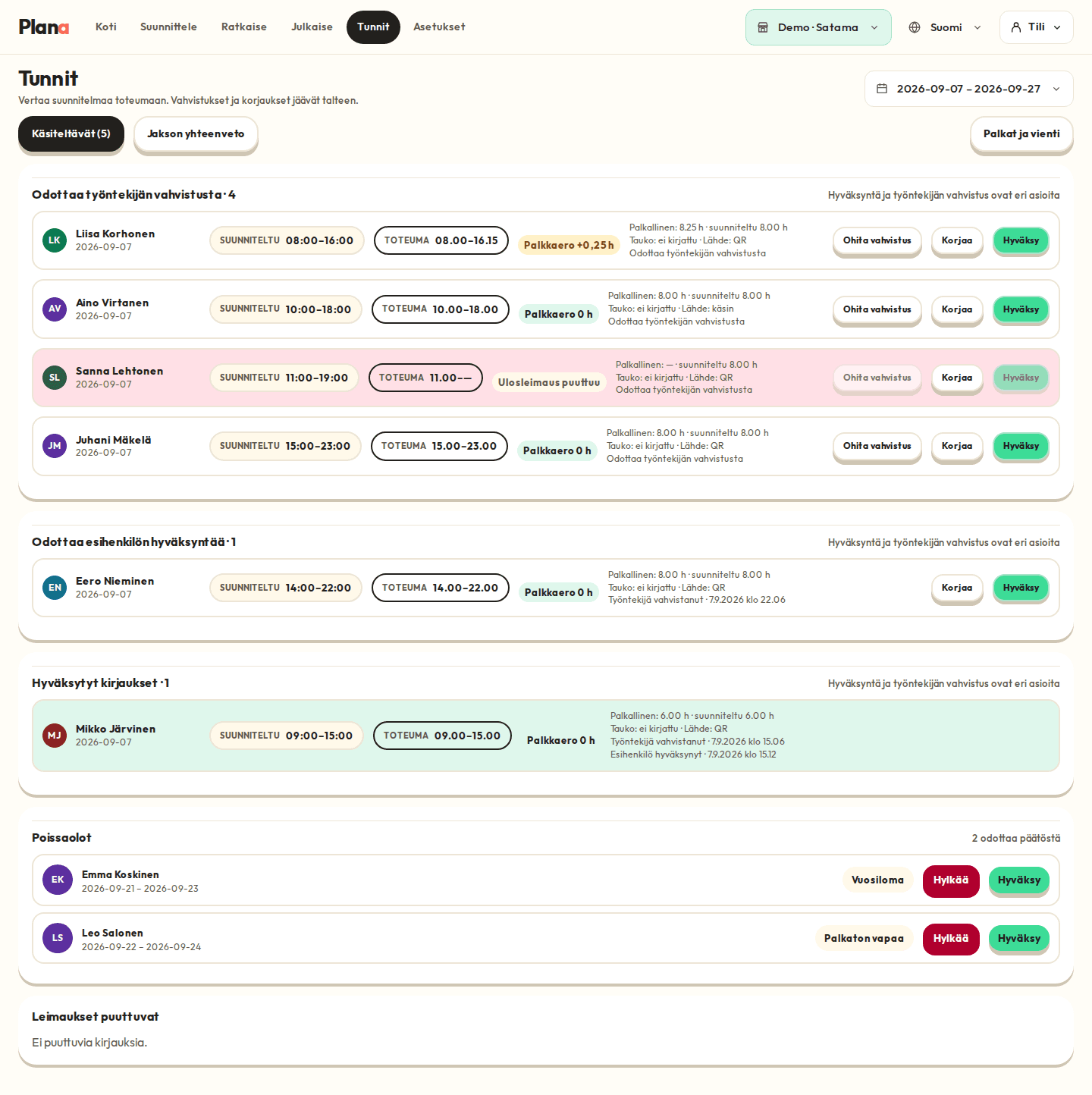
Employees clock in and out on their own phone from the restaurant's QR code. Location is not tracked. Planned and actual time sit side by side, so any difference stands out at once. The employee confirms their hours, you approve, and every clock-in, confirmation and correction is kept. At the end of the month, the data goes to your accountant as one file.
Start using clocking3-month Pro trial during the public beta, no payment card needed
How it works
Clock in
A QR code on the restaurant wall. No location tracking, no extra devices.
Compare
Planned 8 h, actual 8 h 15 min, difference +15 min. The employee confirms, the manager approves, and both are kept on record.
Send to your accountant
Payroll data in the same format as your current Excel. Sunday, evening and period hours broken down separately.
What it looks like in Plana
Good to know
- Clocking needs the restaurant's QR code, not a location
- Works offline. Clock-ins are sent when the connection returns
- For sick leave, only the type is recorded, never the reason
- Employee confirmation and manager approval are recorded separately